
Traditional vs Digital Animation Workflows: What We Teach in Montreal
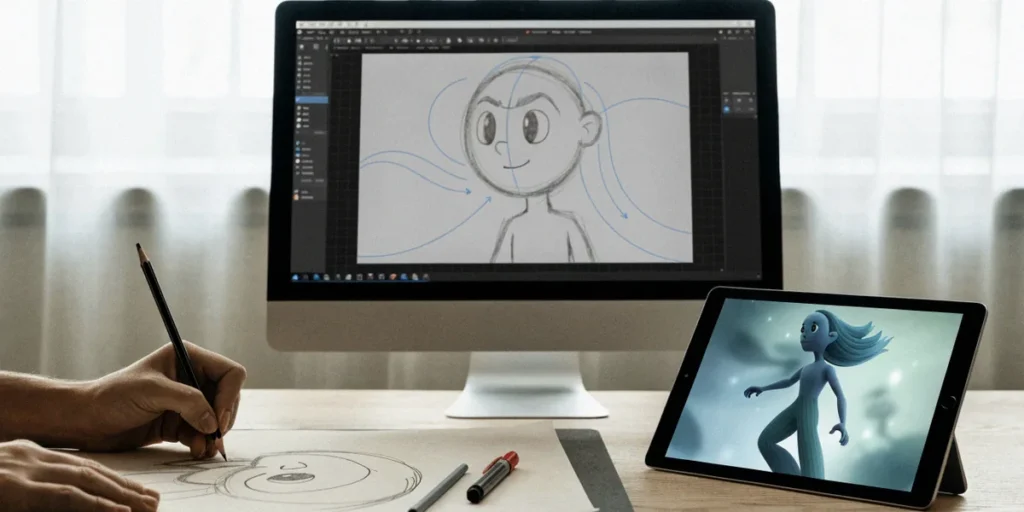
Last winter, our team spent an entire afternoon in the studio arguing about paper. One of us had just finished a scene shot entirely on twos with a 2B pencil and a light table, and another had rebuilt the same sequence in Toon Boom Harmony in half the time. Nobody won the debate, and that’s exactly the point. If you’re an aspiring animator in Canada trying to figure out where to put your energy, the honest answer isn’t “traditional or digital” — it’s knowing how both workflows actually function, where each one shines, and how to move between them without losing your timing or your line quality.
Why Animation Workflow Still Starts with Figure Drawing
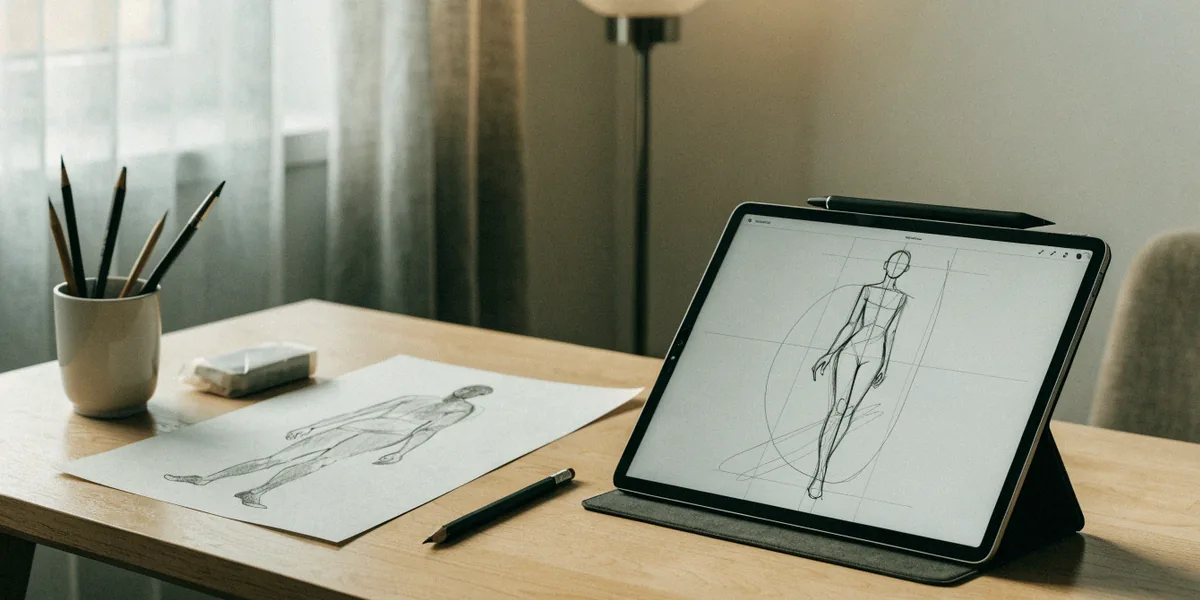
Whatever software you eventually open, every animation decision traces back to how well you can observe a body in motion. Gesture drawing and figure drawing are the foundation of both paths because they train the two skills animation never stops demanding: seeing weight and capturing it fast. In our Montreal art classes, students spend as much time in front of a live model as they do in front of a screen, and that ratio is deliberate.
Gesture Drawing as the Common Language
A gesture drawing is a 30-second to 2-minute study of action, weight, and line of action. It’s the same mental process whether you’re flipping paper on a peg bar or scrubbing a timeline in TVPaint. When a director says “the pose doesn’t read,” they’re talking about gesture. When an animator loses the spine of a character halfway through a scene, that’s a gesture problem too. Students who drill gesture daily develop a shared vocabulary that makes feedback sessions faster and clearer, in studios and in class.
How Figure Drawing Improves Digital Line Confidence
There’s a specific hesitation that shows up in digital work when someone hasn’t drawn enough from life: short, scratchy strokes, constant undo, and a fear of committing to a line. Long-form figure drawing — 10, 20, 40-minute poses — builds the confidence to place a single clean stroke. That confidence carries straight into digital inking, where a wobbly line is far more visible than it ever was on paper.
The Traditional Animation Workflow: Paper, Pencil, and Peg Bars
The traditional pipeline is still taught in Montreal for good reason: it exposes every stage of an animation in physical form, so nothing gets hidden behind a layer stack. The sequence runs from thumbnails to roughs to clean-ups to inbetweens, with timing charts guiding the spacing between keys. Tools are simple — animation paper, a peg bar, a light table, a pencil, and a lot of erasing. Montreal’s animation culture grew up around this pipeline, and the National Film Board of Canada (NFB) on René-Lévesque is the clearest proof: generations of NFB animators built careers drawing frame by frame, and that legacy still shapes how local studios talk about craft.
Roughs, Clean-Ups, and Inbetweens
Roughs are where the performance lives — loose, energetic drawings that establish pose, timing, and expression. Clean-ups are where draftsmanship takes over: consistent volumes, clear silhouettes, and lines that hold up when traced. Inbetweens sit between the keys and breakdowns, and they’re where a lot of students first understand spacing. Doing this on paper forces you to feel the drawing order physically, which is why we still assign it before moving anyone to software.
Shooting on Twos and Timing Charts
Shooting on twos means holding each drawing for two frames, giving you 12 drawings per second of screen time. Timing charts — those little arcs and numbers next to a key — tell the inbetweener how to space the drawings: ease in, ease out, snap, or slow drag. On paper, a timing chart is a physical annotation you can flip past. In software, it becomes a curve editor. Understanding the chart first makes the curve editor make sense instead of feeling like abstract math.
The Digital Animation Workflow: Software and Tablets
The digital pipeline reorganizes the same stages but adds speed, versioning, and collaboration. A typical sequence runs: storyboards, animatics, rough animation, clean-up, then compositing. The three tools we see most in Montreal studios and classrooms are Toon Boom Harmony (the industry standard for rigged and cut-out production), TVPaint (beloved for hand-drawn, texture-rich work), and Adobe Animate (common in series and web production). Animation training programs across the city integrate all three, and students who arrive already comfortable with one of them adapt faster to the others.
From Storyboards to Animatics
Storyboards break the script into shots. Animatics take those boards into an editing timeline with scratch audio and rough timing, so you can feel whether a gag lands or a beat drags before committing to animation. This is where digital genuinely outperforms paper: reordering shots, adjusting holds, and swapping panels takes minutes instead of an afternoon at a photocopier.
Clean-Up, Ink, and Paint in Software
In Harmony or TVPaint, clean-up means tightening rough drawings on a new layer, then inking and filling with colour. The advantages are obvious — consistent line weight, instant colour changes, and no risk of ruining a drawing with one bad eraser pass. The risk is equally obvious: it’s easy to polish a weak drawing instead of fixing it. That’s why we push students to solve the pose in the rough stage, digital or not.
Hybrid Workflows: The Best of Both Worlds
Most working animators we know in Montreal don’t pick a side. They draw roughs on paper because the energy is different, then scan and finish digitally because the pipeline demands it. Ubisoft Montreal’s animation teams work in heavily digital environments, but plenty of artists on those teams still sketch poses on paper before touching a tablet. Local indie animators do the same thing at a smaller scale: paper roughs, scanned into Toon Boom Harmony, cleaned up and coloured on a Cintiq.
Scanning Paper Roughs into Digital Pipelines
The handoff is simpler than most beginners expect. You shoot or scan your drawings at a consistent resolution, import them as an image sequence, align them to your scene timing, then trace or refine on a layer above. The paper drawings become your timing reference and your performance reference at once. Nothing about the digital stage erases the value of the rough — it just makes it reusable.
When to Switch Between Traditional and Digital
Our rough rule of thumb:
- Use paper when you’re exploring a performance, a pose, or a piece of timing you don’t fully understand yet.
- Use digital when you’re repeating, revising, or collaborating — anything that benefits from versioning and speed.
- Switch the moment you notice you’re redrawing the same thing more than three times. That’s a sign the problem is conceptual, not technical.
How We Teach Both Workflows in Our Montreal Art Classes
Our curriculum is built around three pillars: figure drawing sessions with live models, gesture drawing drills at short intervals, and animation portfolio projects that deliberately move from paper to software. Students don’t choose a lane in week one. They draw, they flip, they scan, they animate, and they learn where their own strengths sit. We point students toward local institutions like Concordia University and Dawson College as references for what post-secondary programs expect, and we build assignments that mirror those expectations.
Building an Animation Portfolio That Shows Range
A strong animation portfolio shows both draftsmanship and technical fluency. That means life drawing, gesture studies, a traditional pencil test, and at least one digital sequence with clean-up and colour. Reviewers want to see that you can draw, that you understand timing, and that you can finish work inside a real pipeline. Range isn’t decoration — it’s proof you can be dropped into different production setups.
Balancing Traditional Skills with Digital Tools
We schedule paper and tablet work in the same weeks, not in separate semesters. The goal is fluency, not nostalgia. Students who can flip a pencil test and then rebuild the same action in Harmony understand timing at a level that software-only training rarely reaches.
Which Workflow Should You Choose for Your Animation Training?
Our opinion is straightforward: start traditional, then add digital as fast as you can handle it. Paper teaches timing, spacing, and draftsmanship in a way that’s hard to shortcut. Digital teaches speed, revision, and collaboration — the things that get you hired and keep you employable. Canadian studios like Guru Studio and Pipeline Studios are hiring hybrid artists, not purists on either side.
If You’re New to Animation
Spend your first months on figure drawing, gesture drawing, and simple pencil tests. Learn what a timing chart means before you learn what a curve editor does. Then introduce a tablet and one piece of software — Toon Boom Harmony is the safest bet in Montreal — and rebuild exercises you already did on paper.
If You’re Building a Professional Portfolio
Lead with your strongest work, but make sure it demonstrates both pipelines. Include a traditional pencil test with visible timing charts, and a digital sequence with clean-up and compositing. If you can show a hybrid workflow — paper roughs scanned into Harmony — you’re showing exactly what local studios are looking for.
FAQ
Do I need to learn traditional animation before digital?
You don’t strictly need to, but it accelerates everything. Paper forces you to solve timing and spacing without software hiding your mistakes. Students who start traditional usually reach a professional level of timing faster than those who jump straight into Harmony or TVPaint.
Which software should I learn first in Montreal?
Toon Boom Harmony is the most useful starting point because it’s used widely across Montreal studios and series production. TVPaint is a strong second if you’re drawn to hand-drawn, textured work. Adobe Animate is worth knowing for web and series work.
Can I build an animation portfolio without a formal program?
Yes. A portfolio built through focused classes, personal projects, and consistent figure drawing can absolutely get you into studios or post-secondary programs. What matters is the work: gesture, timing, clean-up, and at least one finished digital sequence.
How much figure drawing is enough?
There’s no finish line. Working animators draw from life continuously. For training purposes, aim for several sessions a week with a mix of short gestures and longer poses, and keep going after you graduate.
Do Montreal studios actually use hybrid workflows?
Many do. Ubisoft Montreal and local indie teams frequently blend paper roughs with digital clean-up and compositing. The workflow is chosen per project, not per studio, which is exactly why fluency in both matters.
The animators we train in Montreal who go furthest are the ones who never treat paper and software as rivals. They draw on paper when a performance needs discovery, move to Harmony or TVPaint when a scene needs revision and finish, and pick the tool that serves the story in front of them — not the one they happen to be most comfortable with.